.Net 在线编辑工具.NET Fiddle
推荐工具:.NET Fiddle
推荐理由:在线调试,编译,运行.net 代码,同时支持 C#,VB.NET,F#
推荐说明::对于.NET 开发者来说是福音,因为我们可以不用再担心环境与庞大的 IDE 的问题,不管在任何时间,任何环境,如果有了什么点子,打开 dotnetfiddle.net,输入你的代码;总的来说,它能够让你在浏览器窗体重复折腾代码片段而无需运行 Visual Studio。当你仅仅是调试少量代码时这实在是太方便了。.NET Fiddle 的一个最大卖点就是它是免费的。
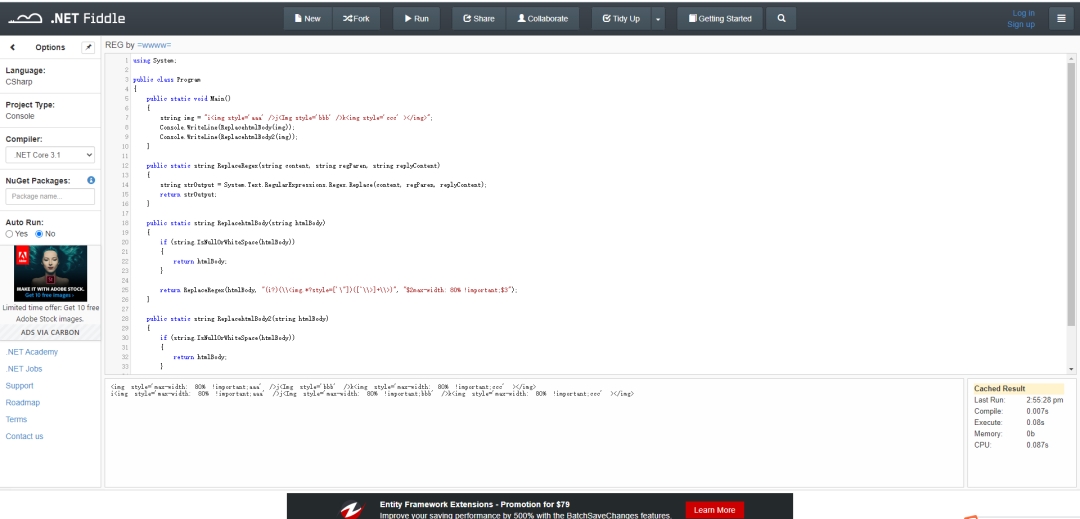
网站截图:
小试牛刀
using System;public class Program{ public static void Main() { string img = "i<img style='aaa' />j<Img style='bbb' />k<img style='ccc' ></img>"; Console.WriteLine(ReplacehtmlBody(img)); Console.WriteLine(ReplacehtmlBody2(img)); } public static string ReplaceRegex(string content, string regParen, string replyContent) { string strOutput = System.Text.RegularExpressions.Regex.Replace(content, regParen, replyContent); return strOutput; } public static string ReplacehtmlBody(string htmlBody) { if (string.IsNullOrWhiteSpace(htmlBody)) { return htmlBody; } return ReplaceRegex(htmlBody, "(i?)(\\<img.*?style=['\"])([^\\>]+\\>)", "$2max-width: 80% !important;$3"); } public static string ReplacehtmlBody2(string htmlBody) { if (string.IsNullOrWhiteSpace(htmlBody)) { return htmlBody; } var reg = new System.Text.RegularExpressions.Regex("(\\<img.*?style=['\"])([^\\>]+\\>)", System.Text.RegularExpressions.RegexOptions.IgnoreCase); return reg.Replace(htmlBody, "$1max-width: 80% !important;$2"); }}<img style='max-width: 80% !important;aaa' />j<Img style='bbb' />k<img style='max-width: 80% !important;ccc' ></img>i<img style='max-width: 80% !important;aaa' />j<Img style='max-width: 80% !important;bbb' />k<img style='max-width: 80% !important;ccc' ></img>
